
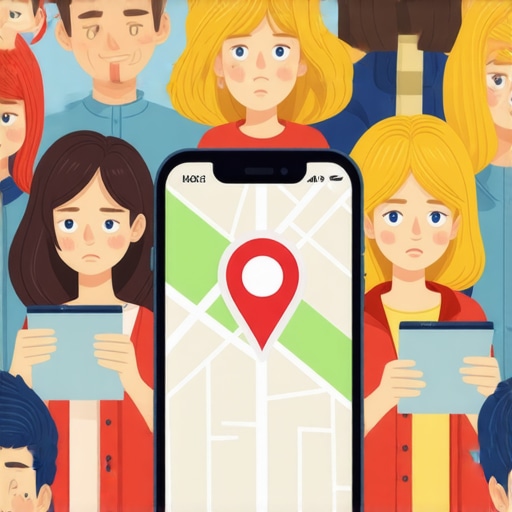
The Real Reason Your Map Pin Fails to Show for Nearby Customers
There is perhaps no greater frustration for a local business owner than standing in the middle of your own storefront, pulling out your smartphone, and searching for your primary service – only to find your business is nowhere to be seen. Instead, the Google Map Pack displays a competitor from three miles away, or worse, a business in the next town over that hasn’t updated its photos in four years. You have the reviews, you have the physical location, and you have the “verified” badge in your dashboard. So, why are you invisible?
This “Map Pin Invisibility” isn’t a random glitch; it is a calculated result of Google’s evolving local algorithm. To understand why your google business profile seo is failing, we have to look past the surface-level advice of “getting more reviews.” We need to look at the infrastructure of local search. According to Google’s own official documentation, local results are primarily determined by three pillars: Relevance, Proximity, and Prominence. However, the way these factors interact has changed dramatically. If your pin isn’t showing, one of these pillars has likely crumbled, or a newer, more aggressive filter is blocking your visibility to nearby customers.
The Invisible Barrier: Verification and Hidden Suspensions
The most common “rookie” reason for a disappearing map pin is the most deceptive one: the hidden suspension. Many business owners log into their Google Business Profile (GBP) manager and see a green checkmark next to “Verified.” They assume everything is fine. However, there is a massive difference between being “verified” in your private dashboard and being “indexed” in the public-facing Google Maps ecosystem.
Research into local search patterns shows that profiles are often invisible because they are “suspended or restricted even if Google has not clearly shown the suspension” in the primary view. This often happens after a small, seemingly innocent edit – like changing a phone number or updating your business hours. Google’s AI flags the change as suspicious, places the profile in a “pending” state for public search, but keeps the dashboard looking normal to prevent immediate pushback from the user. If you suspect your profile has hit a wall despite looking active, you need to look at Ranking Recovery Strategies for GMB: Step-by-Step Guide to identify if a soft suspension is throttling your reach.
Furthermore, the “Unverified Area” ranking filter has become a significant hurdle. If Google’s Street View cars or third-party data providers haven’t confirmed your physical signage recently, Google may lower your “trust score,” causing your pin to vanish when users search from just a few blocks away. You aren’t technically suspended; you are simply being “de-prioritized” because your physical infrastructure doesn’t match Google’s digital map of the world.
The 2026 Algorithm Shift: Why “Openness” is the New Proximity
As we navigate the 2026 local search landscape, a new dominant signal has emerged that has caught thousands of businesses off guard: Openness. In previous years, your business hours were a secondary detail. Today, they are a primary ranking signal for “near me” and category-specific searches. If your business is marked as “Closed” at the moment a customer performs a search, your pin often vanishes from the top results entirely.
Citing recent industry research, “Openness (Hours) is now a primary factor.” Google has realized that a user searching for a “plumber near me” at 9:00 PM is looking for someone who can answer the phone now. If your competitor has 24-hour service listed and you close at 5:00 PM, they will leapfrog you in the Map Pack, regardless of how many more reviews you have. This shift was designed to improve user experience, but it has created a “visibility vacuum” for businesses with traditional hours. To stay ahead of these changes, you must understand What the 2026 Google Maps Updates Mean for Your Search Visibility. If you aren’t optimizing your hours for the times your customers are actually searching, you are effectively turning off your digital signage every evening.
Proximity vs. Prominence: Why the Shop Next Door is Winning
We often talk about the “Proximity Filter,” which is Google’s attempt to show the most geographically relevant results. However, there is a technical layer called “Neural Matching” that complicates this. Sometimes, Google thinks a business is too close to another similar business. If you are located in a medical complex with ten other dentists, Google may “cluster” your pins and only show the one it deems most “Prominent.”
This is where google business profile seo becomes a game of infrastructure. Prominence – which includes your review velocity, the quality of your local backlinks, and your overall digital footprint – can actually override distance. A business two miles away can outrank a business 200 feet away if its Prominence score is significantly higher. Google’s algorithm asks: “Is the extra half-mile drive worth it for the user to get a better experience?” If your competitor has better local signals, the answer is “Yes.”
To diagnose whether you are being out-muscled by a competitor’s prominence or filtered out by a proximity cluster, you need professional-grade tools. Using google maps seo tools allows you to see a geo-grid of your rankings. It reveals exactly where your pin starts to fade and where a competitor’s “Prominence” begins to shadow your location. Local SEO isn’t just marketing; it’s infrastructure. If you don’t build the digital foundation of backlinks and citations, your proximity won’t save you.
The “Proximity Glitch” and Service Area Sabotage
Service Area Businesses (SABs) – like locksmiths, roofers, and carpet cleaners – face a unique set of challenges. These businesses often don’t have a physical storefront for customers to visit, so they hide their address on their profile. This frequently triggers The ‘Proximity Glitch’ That Keeps Your Map Pin From Showing in Nearby Towns. Because there is no “hard point” on the map, Google’s algorithm struggles to determine where the “center” of your service area is, often defaulting to the center of the city (the centroid).
If you are an SAB and your pin fails to show in the very neighborhoods you serve, the culprit is likely “Service Area Sabotage” caused by messy mentions. When your business name, address, or phone number (NAP) is inconsistent across the web – perhaps an old home address is still listed on a random directory – Google loses confidence in your service area. This is why The NAP Consistency Audit That Actually Fixes Your Broken Map Connections is vital. If Google’s AI sees three different “service centers” for your business, it will simply stop showing your pin to avoid giving the user a bad recommendation. To rank google business profile effectively as an SAB, your off-page citations must be surgically precise.
Troubleshooting the “Ghost Filter” and Review Ghosting
Another reason for invisibility is the “Ghost Filter.” You might have 100+ five-star reviews, but if your profile lacks “Human Behavior” signals, Google’s Gemini-powered AI filters may hide you. Google is increasingly looking for “real world” interactions. Are people clicking “Request a Quote”? Are they clicking your phone number? Are they uploading their own photos of your business? If your profile has reviews but zero engagement, it looks like a “ghost” profile – a shell created by an SEO company rather than a living, breathing business.
We also see “Review Ghosting,” where new reviews are filtered out because the reviewer’s GPS data doesn’t show they actually visited your location. This lack of “verified” interaction lowers your overall trust score. To combat this, your google business profile seo strategy must involve encouraging customers to interact with the profile while they are physically at your location. This sends a high-authority signal to Google that your business is a real, prominent destination in the local community. If you are struggling with these technical hurdles, you might need to look into GMB Troubleshooting Secrets: How to Fix Maps Ranking Issues Effortlessly.
5 Specific Moves to Restore Your Map Visibility
If your map pin is currently missing in action, stop guessing and start diagnosing. Here is a technical checklist to restore your visibility:
- Audit primary and secondary categories: A “Category Mismatch” is the fastest way to get filtered. If you are a “Family Dentist” but your primary category is just “Dentist,” you may lose out on highly specific local searches.
- Update hours for “Open Now” signals: Ensure your hours are accurate and reflect when you are actually available to take calls. The “Open Now” filter is one of the most used features on Google Maps.
- Geotagged images and local citations: Upload fresh, high-resolution photos that contain EXIF data (geotags) of your actual location. This reinforces your physical presence to the algorithm.
- Fix the “Unverified Area” ranking filter: Ensure your business name is clearly visible on your building and matches your GBP exactly. If Google can’t see your sign on Street View, your ranking will suffer.
- Use professional monitoring: Utilize local seo software to monitor your geo-grid. You cannot fix what you cannot measure. You need to know exactly which street corners you are losing so you can target your local citation building.
To truly improve google maps ranking, you must treat your profile as a piece of technical infrastructure. It requires regular maintenance, data consistency, and an understanding of the algorithmic shifts that prioritize real-time availability and verified prominence over simple proximity.
Conclusion & Call to Action
Visibility on Google Maps is not a “set it and forget it” endeavor. It is a complex mix of technical health, real-time data, and local authority. If your map pin fails to show for nearby customers, it is a signal that Google’s algorithm has detected a break in your business’s “infrastructure” – whether that’s an “Openness” conflict, a proximity cluster, or a hidden suspension.
Don’t let your competitors steal the customers who are standing right outside your door. Perform a manual audit of your categories, fix your NAP inconsistencies, and use tools from rank google business profile specialists to reclaim your spot in the Map Pack. If the technical side of google business profile seo feels overwhelming, it may be time to hire an expert to repair the infrastructure of your GBP and ensure your business is visible to every customer, every time.
This article really hits home for me. I’ve seen firsthand how even minor changes to business hours or contact info can cause your map ranking to plummet unexpectedly. The emphasis on infrastructure aspects like NAP consistency and the importance of geotagged photos is a good reminder that local SEO isn’t just about reviews anymore. I’ve struggled with service area businesses losing visibility in nearby neighborhoods, especially with inconsistent mentions online. The part about Google’s ‘ghost filter’ and review ghosting also resonated—it’s frustrating to have all these reviews but still remain invisible. I wonder, how often should businesses be conducting these technical audits to stay ahead? Has anyone found a reliable schedule or tool to keep everything optimized without it feeling overwhelming? I’d love to hear tips from others who have managed to maintain their profiles effectively and avoided these common pitfalls.
This post really sheds light on some of the less obvious factors affecting map visibility beyond reviews. I’ve seen businesses with excellent reviews but poor NAP consistency or outdated photos struggle with visibility, especially in competitive areas. The shift towards emphasizing ‘Openness’ and real-time data makes me wonder how many local business owners actively update their hours and verify their signage regularly. It’s often overlooked, but small details like geotagged images or correcting inconsistencies across directories can make a significant difference. Personally, I’ve started scheduling quarterly audits to keep these elements in check, and it’s been quite effective. Does anyone have recommendations for tools or routines that help monitor these technical aspects without becoming a full-time job? It seems that treating the GBP as a technical asset rather than just a listing can really improve long-term visibility. Also, I’d be interested to hear if others have experienced success with proactive engagement strategies that complement these technical fixes, especially in areas with high competition.
This article really opened my eyes to how much infrastructure plays into local search visibility. I’ve seen firsthand how even small inconsistencies, like outdated NAP details or missing geotagged photos, can cause a business to almost disappear from the map pack. I especially agree with the point about the importance of regular technical audits—once I started quarterly checks, my rankings became more stable and predictable. One challenge I’ve faced is keeping up with the dynamic nature of Google’s updates, so I’ve started using tools like GeoGrid Monitor and Citation Sync to automate part of the process. Has anyone experimented with specific software that streamlines these audits without requiring too much manual oversight? Also, I’m curious—do you think Google’s upcoming focus on real-time interactions and verified customer actions will push businesses to prioritize in-person engagement even more? It definitely feels like a balancing act between infrastructure and active community involvement.
This article really underscores how technical local SEO can be and how easy it is for businesses to overlook these critical details. I’ve experienced firsthand how updating hours or inconsistent NAP details can inadvertently push a business out of the map pack. It’s not just about having good reviews anymore; it’s about maintaining a solid, well-structured infrastructure that Google trusts. I found that regular audits using tools like GeoGrid Monitor and focusing on geotagged images really help sustain visibility. One thing I’ve been curious about is how often businesses should be performing these audits to stay ahead in such a rapidly evolving landscape. Do any of you have a specific routine or software recommendation that keeps this manageable without it consuming too much time? I believe that treating our Google profiles as an ongoing project rather than a
This post highlights a crucial aspect of local SEO that many overlook: the infrastructure behind your GBP. I’ve noticed that even after fixing obvious issues like hours and NAP consistency, the map visibility can still remain stubbornly low. It seems like a layered approach is needed—regular technical audits, geotagged photos, and active engagement—all combined. I’ve started using local SEO software that tracks geo-grid shifts, which has helped identify where my visibility drops off. How often do others recommend running these audits? Once a quarter or monthly? Also, with the increasing importance of real-time signals, do you think investing in more physical signage or customer interaction activities can tip the scales in your favor? It feels like a mix of technical foundations and community presence is the way forward to truly dominate local results.
Reading through this post really made me reflect on how often we neglect the technical health of our Google Business Profiles. I’ve seen cases where a simple NAP inconsistency or outdated photos quietly sabotaged a well-rated business’s visibility. The shift toward valuing ‘Openness’ makes it clear that regular updates to hours and active engagement are more crucial than ever. I’ve started scheduling bi-weekly checks on my profiles, including geotagged photo updates and citation audits, which seem to help maintain consistency. Has anyone experimented with automation tools for these periodic audits? I’d love to hear what works best for maintaining efficiency. Also, with the increasing emphasis on real-time signals, I wonder if investing in local community events or signage could serve as a boost to reinforce digital authority—what are your thoughts on integrating offline efforts with online optimization?