
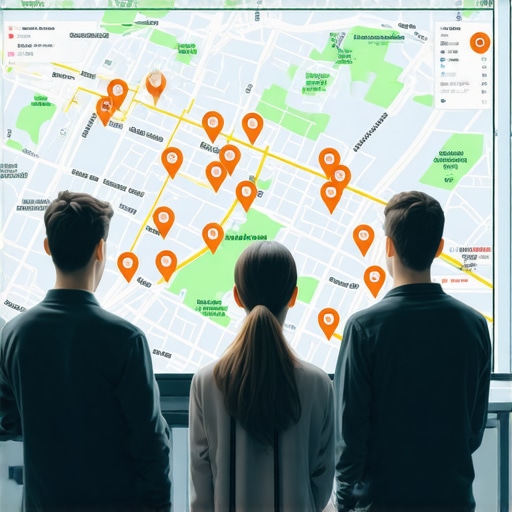
Why Your Service Area Map Just Stopped Showing Up for Nearby Customers
As a Local SEO Consultant and Google Business Profile Product Expert, I hear the same frantic question at least three times a week: “Kevin, I used to be in the top three, and now my map pin is gone. I haven’t moved, I haven’t changed my settings, but I’m invisible to customers just five miles away. What happened?”
For Service Area Businesses (SABs) – plumbers, HVAC technicians, roofers, and lawyers who meet clients at their locations – the map is the lifeblood of the business. Unlike a brick-and-mortar storefront where a physical sign acts as a constant beacon, an SAB relies entirely on Google’s digital interpretation of where they operate. The frustration of a vanishing map pin is real, and the stakes are high. If you aren’t in the Local Pack, you aren’t getting the phone calls. Even if your profile says “Verified,” you might be completely filtered out of the results.
The reality of google maps seo is that the landscape is not static. Google Maps recalculates results for every single searcher based on real-time proximity, relevance, and prominence. In 2026, those calculations have become more aggressive, often leaving legitimate businesses in a “digital ghost town.”
The Proximity Myth: Why “Adding Cities” to Your Profile Doesn’t Work
One of the most common mistakes I see business owners make when they notice a dip in visibility is rushing to the Google Business Profile (GBP) dashboard and adding 20 more cities or zip codes to their “Service Areas” section. It feels logical: if I tell Google I work in these cities, Google will show me in these cities.
Unfortunately, this is the “Proximity Myth.” According to the Google Business Profile Community thread (#412998474), the cities you list in your dashboard are not a ranking factor. They are strictly for customer information – letting a user know if you are willing to drive to their house. They do not help you rank higher on google maps for those specific locations.
Google determines your ranking power based on your “point of verification” – usually the home office or warehouse address you used to verify the account, even if that address is hidden from the public. If you are trying to reach a town 15 miles away, simply checking a box in the dashboard won’t bridge that gap. To actually capture that traffic, you need a strategy that builds authority in those specific zones. I often recommend my clients look into The City Page Formula That Actually Pulls Map Views From Three Towns Over to understand how to build landing pages that actually signal local relevance to Google’s crawlers.
The 2026 “Proximity Glitch” and the New AI Filters
In the current landscape of google maps ranking service, we are dealing with what many in the industry call the “2026 Proximity Glitch.” This isn’t actually a bug, but rather the result of Google’s increasingly sophisticated AI filters. With the integration of Gemini and advanced Neural Matching, Google has moved beyond simple keyword matching. It now uses “proximity relevance prominence” to decide if a business is “worthy” of appearing for a searcher.
The “Unverified Area” ranking filter is a new development where Google effectively “ghosts” businesses that don’t have enough local authority beyond their immediate physical verification point. If your business is verified in a suburb, but you’re trying to rank in the downtown core, Google’s AI might decide that because you lack local backlinks, local mentions, and geo-tagged signals from that area, you are “irrelevant” to that searcher. This is a core part of modern google business profile seo.
Neural Matching allows Google to understand that a user searching for “emergency pipe repair” likely needs someone right now. If your business profile doesn’t demonstrate a history of serving that specific neighborhood through reviews or localized content, the AI will prioritize a closer competitor, even if that competitor has a lower overall rating. This is why a comprehensive gmb ranking service is essential to maintain visibility in a shifting local seo algorithm.
4 Technical Reasons Your Map Pin Vanished Overnight
When a profile disappears, it’s rarely a coincidence. Usually, one of these four technical triggers has tripped a Google filter.
1. NAP Inconsistency
Google’s trust in your business is built on consistency. If your Name, Address, and Phone number (NAP) vary across the web, Google loses confidence. Even a Tiny Name and Address Inconsistency – like “St.” vs “Street” or “Suite B” being missing from half your citations – can be enough for the algorithm to demote your map pin in favor of a more “consistent” competitor. For SABs, where the address is hidden, this often happens with the phone number or the business name itself.
2. Category Mismatch
The “Primary Category” on your GBP is the single most important on-page signal. If you are an HVAC company and you’ve set your primary category to “Heating Contractor” but the majority of searchers in your area are looking for “Air Conditioning Repair Service,” you might find yourself filtered out of the Local Pack. Google’s AI is constantly re-evaluating which categories are most relevant to specific search intents.
3. The “Ghost Town” Schema Error
Many service area businesses have websites that look great to humans but are unreadable to AI engines. If your site is missing LocalBusiness schema, or worse, has conflicting schema data, you are essentially invisible to the bots that feed Google Maps. I’ve detailed this in my guide on 3 Schema Mistakes That Are Silently Killing Your Local Map Views. Without the proper JSON-LD markup, Google can’t verify your service area boundaries with 100% certainty.
4. The Review Filter
In 2026, Google introduced a more aggressive review filter. If you receive a surge of reviews that lack “local signals” (e.g., reviews from accounts that have never checked into your service area), Google may not only hide those reviews but also shadow-ban your profile from the map for “suspicious activity.” This is a common hurdle when trying to rank google business profile effectively.
How to Audit Your Service Area Profile (The 5-Point Rescue Plan)
If your map pin has vanished, don’t panic. Follow this diagnostic roadmap to identify the bottleneck. You can use various local seo tools to assist in this process.
- Check for the “Pending Review” Loop: Log into your dashboard. If you see a “Changes are pending” message that has lasted more than 48 hours, your profile is likely stuck in a validation loop. This often happens if you’ve recently changed your service area or business name.
- Verify “Open Now” Status: Google recently fixed a bug, but many profiles still suffer from the “Open Now” search result filter. If your hours are not set correctly, or if you are marked as “Temporarily Closed,” you will disappear from 90% of local searches.
- Audit Citations: Use a google maps rank tracker to see where you are appearing (or not appearing) across different zip codes. If your rankings are “spotty,” it’s a sign of weak citation authority.
- Analyze the Geo-Grid: A standard search doesn’t tell the whole story. You need a geo-grid tool to see exactly where your ranking drops off. If you rank #1 at your house but #20 two blocks away, you have a proximity relevance issue.
- Check for “Profile Flagged” Glitches: Sometimes, Google flags a profile for “Quality Issues” without sending an email. Check the “Support” section in your GBP dashboard to see if there are any hidden “Suggested Edits” from competitors that have moved your pin to the middle of the ocean.
By conducting a thorough google business profile optimization, you can often reverse these glitches and regain your spot in the map pack.
Beyond the Dashboard: Building Local Authority That Sticks
To survive the “2026 Geo-Grid Freeze,” you must realize that google business profile seo is no longer just about the dashboard. It’s about building “Hyperlocal SEO” authority. Google wants to see that you are an active part of the community you claim to serve.
This means you need to go beyond standard SEO. You need to focus on proximity relevance prominence. This is achieved by:
- Local Backlinks: Getting links from local little league teams, neighborhood blogs, and local chambers of commerce. I talk about this in The Honest Way to Build Local Backlinks Without Getting Penalized.
- Service-Specific City Pages: Creating deep content for every major town in your service area. These pages should include local landmarks, local maps, and local testimonials.
- Geo-Tagged Images: Uploading photos to your GBP that were actually taken in the service areas you are targeting. Google’s AI can read the EXIF data and the visual landmarks in the photos to verify you were actually there.
Building this level of authority is what separates the businesses that disappear from the ones that dominate the local map pack seo results year after year.
Conclusion: Reclaiming Your Spot in the Local 3-Pack
The disappearance of your service area map pin is a technical signal from Google that your profile lacks the necessary “Local Trust” to compete in the current environment. Between the Proximity Glitch and the rise of AI-driven filtering, staying visible requires constant vigilance and a technical approach to local seo services.
Don’t let your business be a victim of a “Ghost Town” algorithm update. Perform a manual audit of your NAP consistency, fix your schema errors, and start building genuine local authority. If you find the process overwhelming, it may be time to consult with a google business profile expert to perform a deep-dive recovery.
Ready to see exactly where you stand? Use SEO Viper Tools to run a geo-grid report and start your journey back to the top of the Local 3-Pack today.